How to apply for a 2026 provisional assessment as a non-resident taxpayer
You can easily apply for a provisional assessment online in Mijn Belastingdienst.
Apply for a provisional assessment directly
Log in to Mijn Belastingdienst using your DigiD or a European login.
Log in to Mijn Belastingdienst
Or order a paper form:
We will send you the form within 1 week. Complete the form and return it to us by post.
Are you unsure how to apply for a provisional assessment online? We will explain it to you in 4 steps:
-
Applying for a provisional assessment for 2026 online in 4 steps
You can apply for a provisional assessment in Mijn Belastingdienst. We will explain it to you in 4 steps. It’s useful to have your details at hand.
Step 1: Prepare yourself

Being well prepared makes the task easier. If you have everything at hand, a provisional assessment can be applied for with ease.
-
Check what information you need to keep at hand
Checklist when applying for a provisional assessment 2026
Personal details
- your DigiD
Use your DigiD username and password to log in to Mijn Belastingdienst.
Are you applying for a provisional assessment with your tax partner? In that case, you will both need your own DigiD. - if you don’t have a DigiD: your European login
- your citizen service number (burgerservicenummer, bsn), if applicable, those of your partner and your children up to 18 years
- your bank account details (IBAN)
Income
An estimate of your income for 2026. For example:
- your total income from wages or social security benefits from the Netherlands and other countries, and potentially also your partner’s income
- the spousal maintenance you receive from your ex-partner
Assets in Box 3
the value of your assets on 1 January 2026, and potentially those of your partner and any of your children up to 18 years. This includes:
- the balance of payment, savings and investment accounts
- the value of cryptocurrency
- the value of a 2nd house or holiday house
Property
In most cases, you may only declare an owner-occupied home in the Netherlands. You may only declare an owner-occupied home abroad if you are a qualified non-resident taxpayer.
- your own home's WOZ value on 1 January 2025
You can find this value on the WOZ assessment (WOZ-beschikking) you receive early 2026 from the municipality you live in. - details of your mortgage or loan
For example, the debt and the (mortgage) interest of your home.
In the year you purchase or sell your home, also consider the costs for:
- the closing commission
- the transfer tax
- the advisory and brokerage fees
- the appraisal costs for obtaining the mortgage or loan
- the notary fees for the mortgage or loan
- the notary fees for the property
You can find these on the notary's purchase or sales specification.
Loans, debts and premiums payable
An estimate for 2026 of:
- the amount of your loans and other debts
- the premium you pay for occupational disability insurance (AOV)
If you are a qualifying foreign taxpayer, also an estimate of:
- the annuity premiums you pay
- your DigiD
Step 2: Logging in

Log in to Mijn Belastingdienst using your DigiD or an European login. You are now in the Mijn Belastingdienst environment. Click on 'Inkomstenbelasting' (Income tax) and then on 'Voorlopige aanslag' (Provisional assessment).
Afterwards, if you don’t live in the Netherlands, select 'Ik woon niet in Nederland en wil een voorlopige aanslag aanvragen of wijzigen' (I don't live in the Netherlands and want to apply for or change a provisional assessment).
Step 3: Filling in
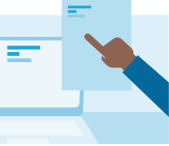
You can now get started on the application for the provisional assessment 2026.
We can fill in your provisional assessment for you as much as possible. This makes the process a lot easier. If you want us to do this, select 'Ja' when asked 'Wilt u dat wij de gegevens die we vooraf hebben ingevuld in uw aangifte over 2024 ook voor u invullen voor dit formulier?' (Would you like us to fill in the details we pre-entered in your 2024 tax return for this form as well?). We will then use the information from the year 2024. Is your situation different in 2026? You can easily change or delete your information. Make sure to carefully check what is already there and add anything that is necessary.
Need a break? Click 'Opslaan' (Save) and 'Sluiten' (Close). Everything will be saved.
If you do nothing for 15 minutes, Mijn Belastingdienst will automatically log you out. Do not worry: all information is saved first.
Step 4: Sign and submit

Once you have filled everything in, sign it with your DigiD or European login. Did you apply for a provisional assessment with your tax partner? Then you must both sign it with your own DigiD or European login.
Then, click on 'Verzenden' (Submit).
You will now see the page 'Ontvangstbevestiging' (receipt confirmation). This means that we have received your application. You will usually hear from us within 4 weeks. Sometimes it may take longer, but you will always be notified within 8 weeks.
Tip
After you have submitted your application for a provisional assessment, you can always check the details you filled in. To do so, all you need to do is log in to Mijn Belastingdienst. There you will find a PDF with the details you filled in.
-
When will you be informed?
You will be informed about your provisional assessment within 8 weeks.
For which deductions and tax credits?
This depends on your personal situation. Check for which deductions and tax credits you can apply for a provisional assessment.
Until when can you apply for a provisional assessment?
That depends on whether you have to file an income tax return for the year for which you want to apply for the provisional assessment.
You are required to file a tax return
In this case, you can apply for a provisional assessment until the final date by which your tax return has to be filed. This is usually 1 May of the next year. The exact date is stated on your tax return letter.
If you have been granted a postponement for your tax return, the postponement date is also the final date by which you can apply for a provisional assessment.
You are not required to file a tax return
In that case, you can apply for a provisional assessment until 1 May after the year for which you want to apply for the provisional assessment. For 2026, you can therefore do so until 1 May 2027. After that, you can only file a tax return directly.
No need to apply for every year
If you have a provisional assessment this year, you will automatically receive a provisional assessment for the new year. You will be informed about this as of mid-December.
Want help with your 2026 provisional assessment?
Then you can make an appointment with an employee of the Tax Administration (only available in Dutch).